recipe
input-otp
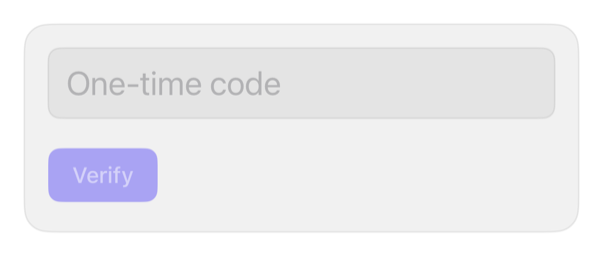
One-time-code TextField, not a boxed control.
input-otpotpverification-codeone-time-codeguidance
On iPad
The same installed source at a regular width. It adapts its layout without a separate design.


Install
Nothing to install
Copy the snippet below. The native API is the whole treatment.
Usage
@State private var code = ""

TextField("One-time code", text: $code)
    .textContentType(.oneTimeCode)
    .keyboardType(.numberPad)
    .textFieldStyle(.registryInput)
    .font(.title2.monospacedDigit())
    .accessibilityLabel("Verification code")
    .onChange(of: code) { _, newValue in
        code = String(newValue.filter(\.isNumber).prefix(6))
    }
    .registryItem("input-otp")

Button("Verify") { }
    .buttonStyle(.registry)
    .disabled(code.count < 6)
Why native is enough
TextField + .textContentType(.oneTimeCode): offers Messages/Mail code above keyboard; .keyboardType(.numberPad): numeric. Six-box imitates, loses autofill. onChange caps 6 digits. No type: no offer.
Accessibility contract
- Needs explicit label; title shows only as placeholder.
- Monospaced-digit font: legible at large Dynamic Type.